letterpaths: or how LLMs can be good even when they’re bad
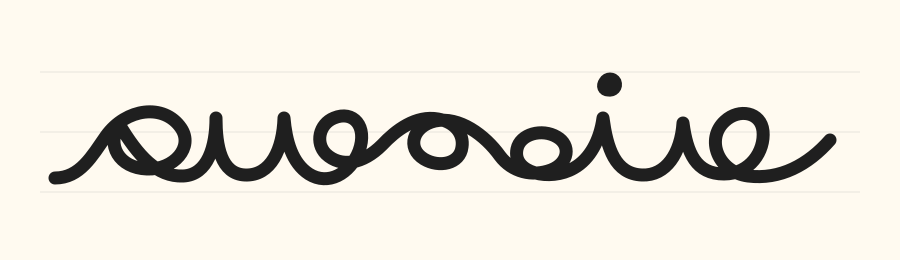
Letterpaths is a library for generating cursive handwriting to help schoolchildren in the UK. Its value rests on the quality of the letters and the joins between them.
Development was LLM-driven. But frontier models1 were incapable of even basic visual tasks such as generating accurate letter shapes, let alone generating natural joins. Letters and joins therefore had to be built by hand.
And yet, with the help of LLMs I was able to build the whole library in perhaps 20 hours of work.
In situations like this where the agentic loop fails, the goal is to put a human in the loop in the lowest-friction way possible - often by getting the model to build a GUI. Thus, despite being ill suited to the main task, AI was able to dramatically accelerate human work.
This post reviews some of the tricks I used to get the library working.
Building a letter editor
I started by defining a JSON schema to represent the geometry of each letter.
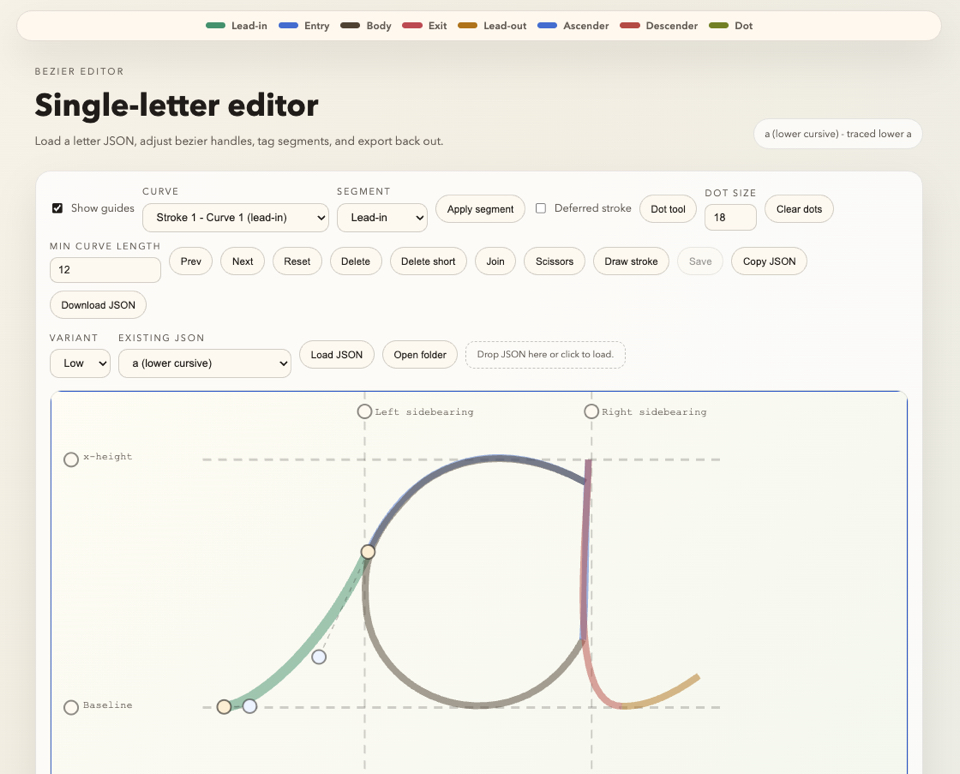
Frontier LLMs proved unable to convert an image of a letter into the schema. So I asked the LLM to build me the letter editor. I also created a simple letter gallery so I could easily see progress.
One useful trick here was to allow the browser app to save the JSON files straight back to disk for me using the browser’s File System Access API.
Building a join algorithm
The join algorithm is the most important feature of the library. The joins need to look natural and closely approximate how joins are taught in school.
This turned out to be difficult to describe in words, and models proved incapable of improving the algorithm by looking at screenshots of the results and iterating.
Instead, I asked the model to generate various different parameterised join algorithms and an interactive visualisation of the results that allowed me to tweak the parameters.
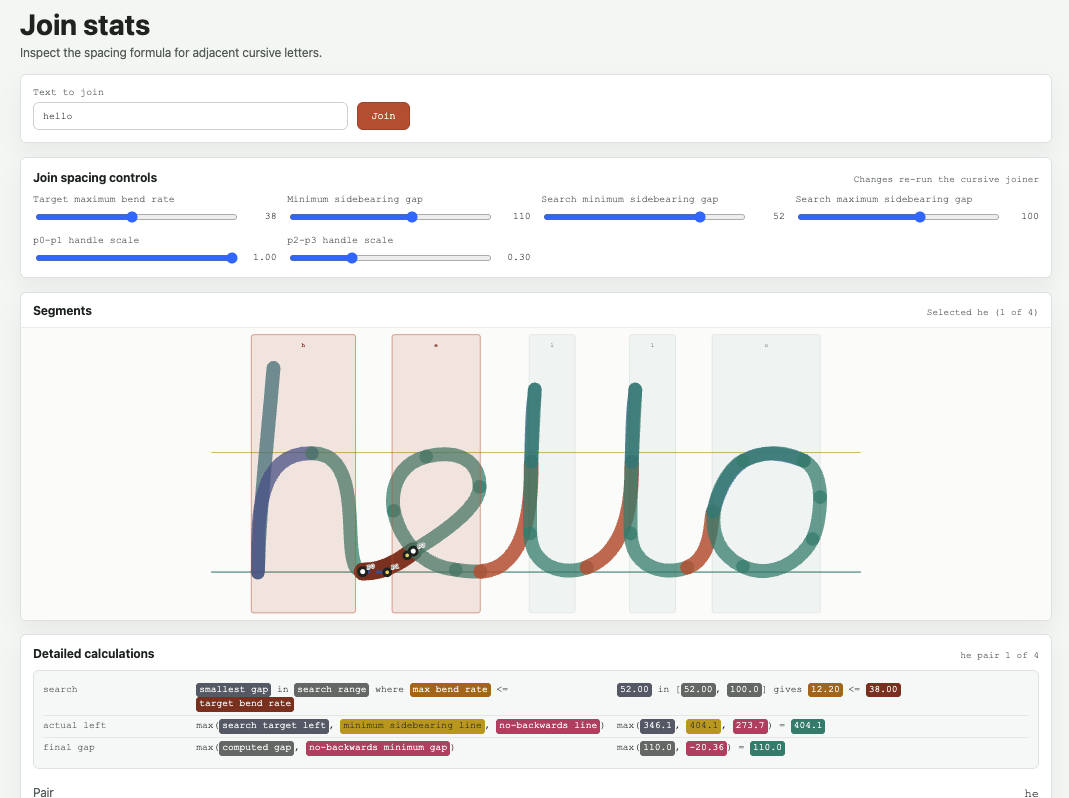
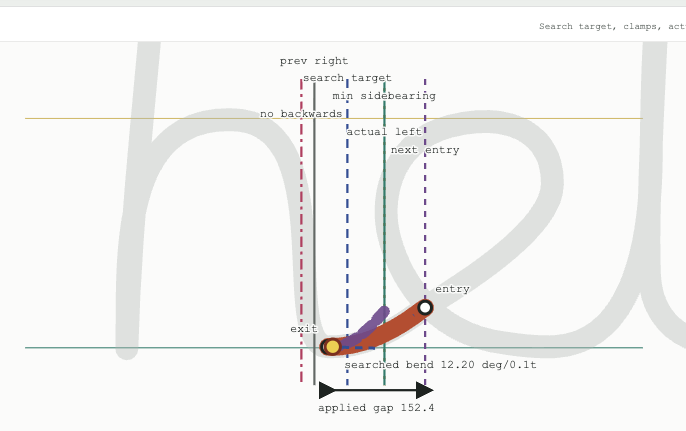
After many iterations, the final algorithm accounted for horizontal and vertical distance, maximum curvature and total curvature, and also chose kerning (spacing) on their basis.
But it was still not quite right: there were too many edge cases; specific letter combinations that looked wrong.
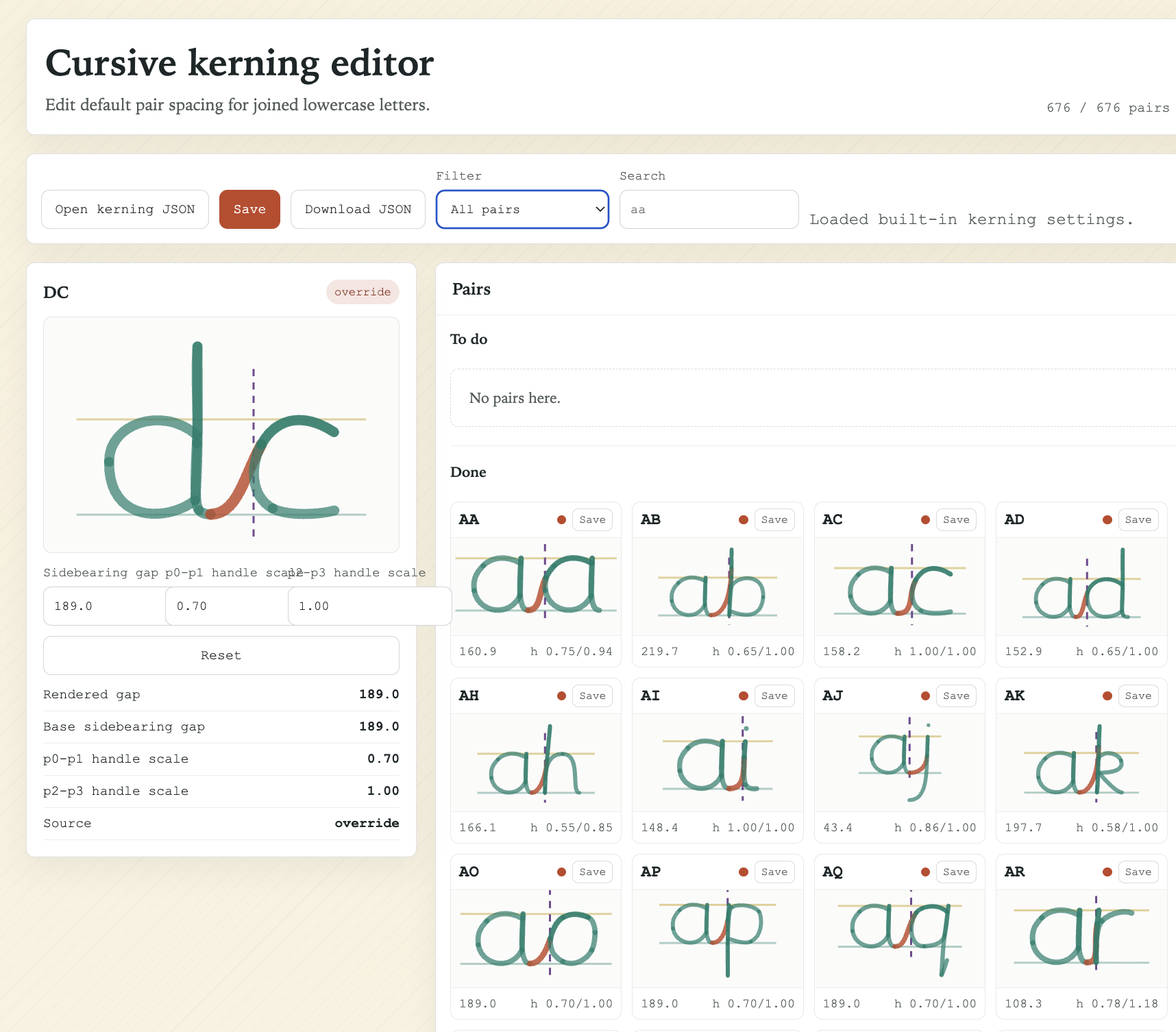
In the end I built a kerning and join editor that allowed me to review and edit and save all pairwise combinations, sorted in order of how common they were in the English language.
Many could be saved using their default algorithmic settings, but this allowed me to target any pairs that looked wrong rapidly.
Building a font (.woff2, .otf)
Letterpaths contains scripts to output the letter and join geometry as a font.
This was particularly difficult to get right - and is still not perfect. But again, what helped was getting the LLM to create a visual interface to compare different algorithmic approaches:
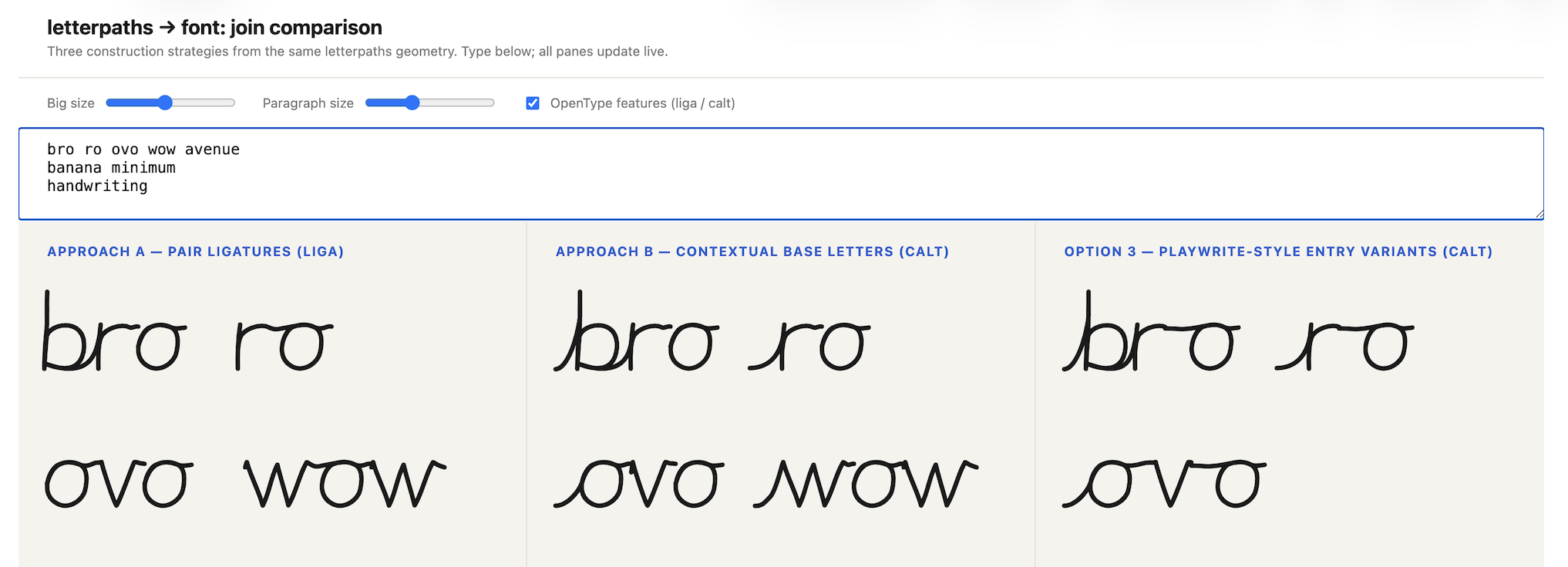
The font builder was the last part that I added to letterpaths, at which point GPT-5.5 and Opus 4.8 were available. Interestingly, only Opus 4.8 was able to do a passable job of generating the font without obvious discontinuities between letters. Even then, it had to be given guidance about how the algorithm should work.
Live reloading the GUIs when code was changed
It took me a while to figure out a good pattern for developing the core JavaScript library and associated GUIs. I wanted to ensure the main library code was separate from the disposable GUIs and other code. But at the same time, I needed updates to the core letterpaths library to be immediately reflected in the GUI (live reload). This meant, for instance, that an update to the geometry of a letter would be immediately shown everywhere on save.
The letterpaths repo is an example of a pattern that worked well. It’s set up as a small pnpm monorepo with a packages/ directory containing the various apps. This allows the GUIs to use the letterpaths library directly. The apps are run with pnpm dev.
A secondary trick was to ensure the state of the GUI (which letter is loaded, any settings, which folder from the machine is open) was URL-encoded, so that live reload did not reset the state of the GUI.
Final thoughts
LLMs work best when a feedback loop can be established. Disposable GUIs can often help with this loop.
This feels like quite a general pattern whether you’re building an education app, a data pipeline, or really any other software: what is the thing you’re currently trying to optimise, and how can you visualise it with high information density. Even when the LLM may get there eventually, you’ll often be able to steer it faster if you can more precisely diagnose the current problem.
Footnotes
-
GPT 5.4 and Opus 4.6 at the time the library was written. ↩